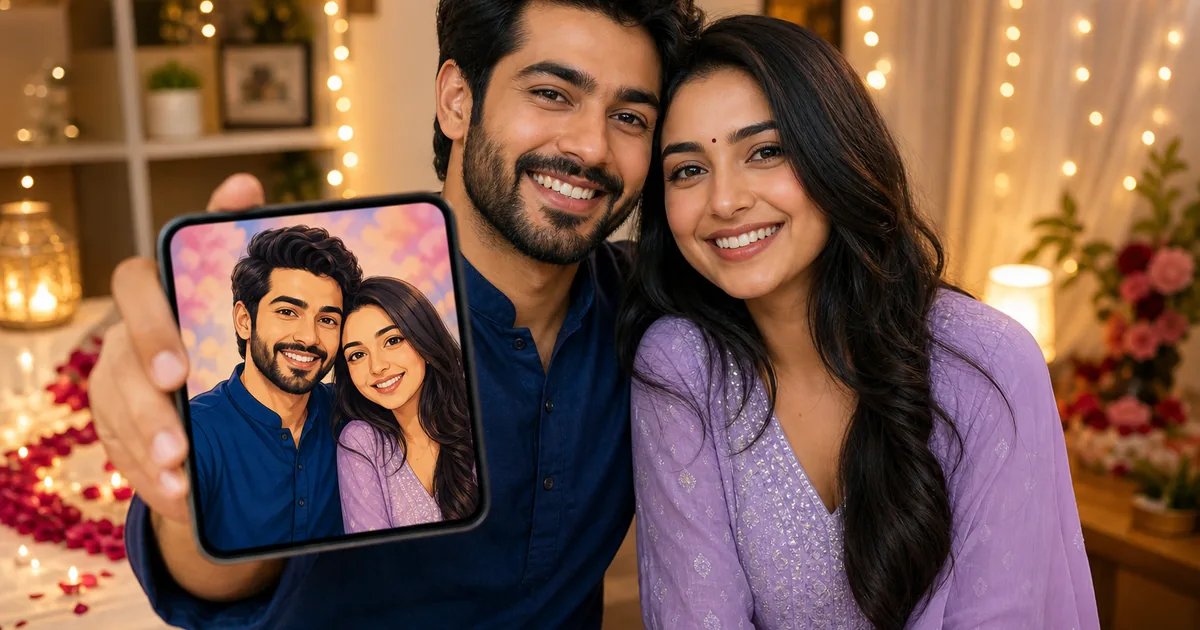
If you’re wondering how to make an anniversary video quickly on mobile, here’s a simple flow: pick a romantic AI photo style in Glymo, then turn one or two of your best couple photos into a short video with Image to Video or First and Last Frame. Add a sweet line or an optional talking message, download, and share on WhatsApp Status or Instagram Reels. No editing skills needed—just clear photos and a few taps. You can create it on the web or the Glymo Android app, start to finish, in a quick, mobile-friendly flow.
How to make your anniversary video using Glymo
Here’s the quick, mobile-friendly path that works for Indian couples, families and small businesses:
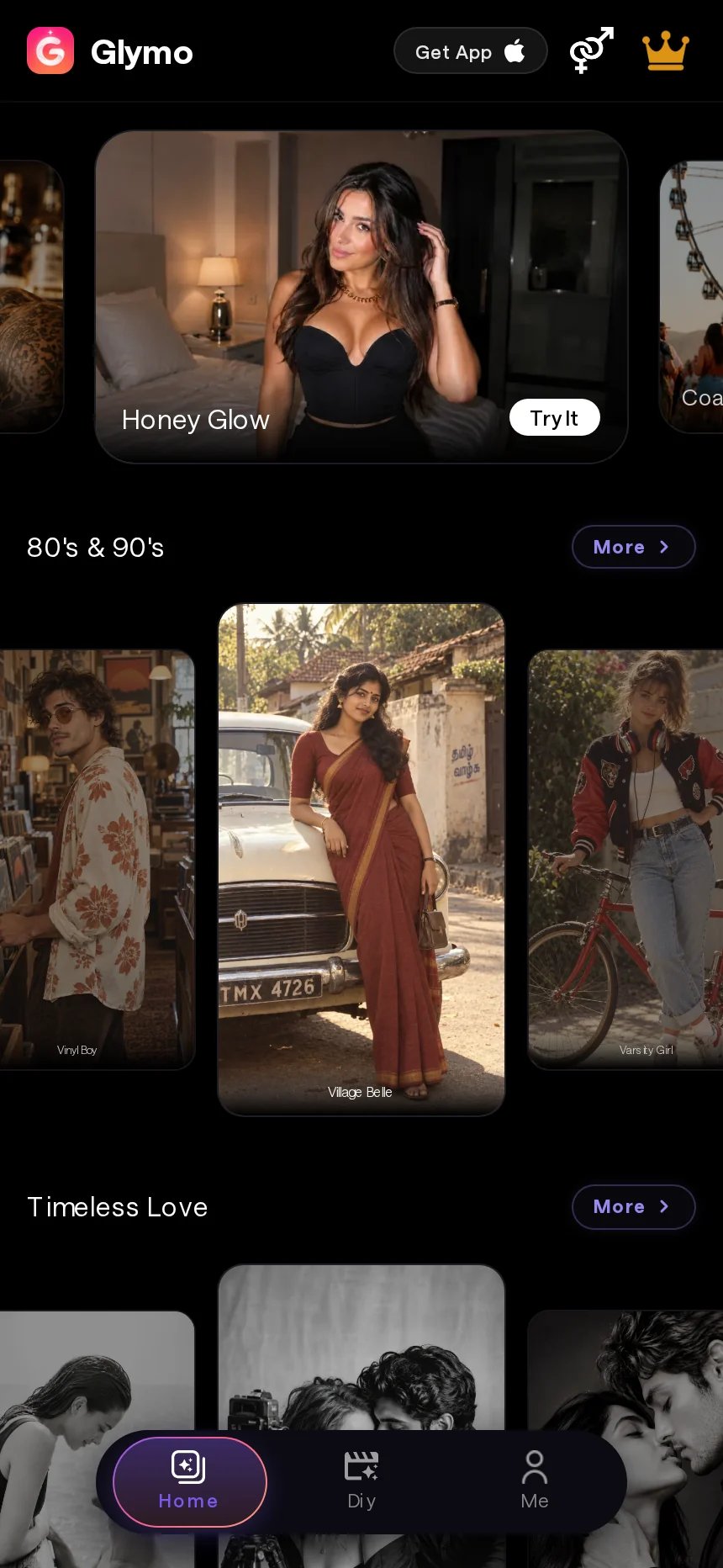
- Open glymo.in or the Glymo app and choose a template or tool.
- Upload a clear photo you have permission to use (one main subject works best).
- For AI Studio tools, type a short prompt; for templates, just pick the style.
- Generate, preview, then download from My Creations and share.
Tip: Use only your own photos or photos you have clear permission to use.
Why an anniversary video works (and what you’ll make today)
Anniversary videos hit the heart in seconds—perfect for WhatsApp Status, Instagram Reels, YouTube Shorts and family groups. Short, emotional and easy to share, they feel personal without hours of editing. If you’ve been looking for ideas for Indian couples, this guide has you covered.
In this guide you’ll make:
- A styled anniversary photo using Explore Templates
- A photo-to-video with gentle motion using Image to Video (animate a photo) or a smooth two-photo blend with First and Last Frame transition videos
- Optional: a fun talking message using Face Talk talking avatar
All steps are quick and mobile-friendly.
Step 1: Pick a look with Explore Templates (fast anniversary photo)
- Open Explore Templates and pick a romantic style that fits your vibe: Timeless Love (category), Couple Vibes, Love Scrapbook, Sunset Glow or Gown & Suit.
- Upload a clear couple photo you have permission to use—wedding portrait, ring ceremony shot, or a recent festive selfie.
- Generate and save. This becomes your hero visual for the video. If you want a simple, mobile-first way to work with your photos, this is the fastest start.
Photo tips for better results
- Use a sharp, well-lit photo with faces clearly visible. Avoid heavy filters.
- One main subject (the couple close together) works best.
- Keep the background simple if you can; busy scenes can distract from the style.
When to choose Couple Vibes vs Love Scrapbook
- Couple Vibes: Clean, modern, portrait-led look—great for a strong hero shot or WhatsApp Status cover.
- Love Scrapbook: Playful collage feel—nice for nostalgic memories, older wedding scans or a “then-and-now” story.
Step 2: Turn photos into a short anniversary video
Two easy paths inside Glymo:
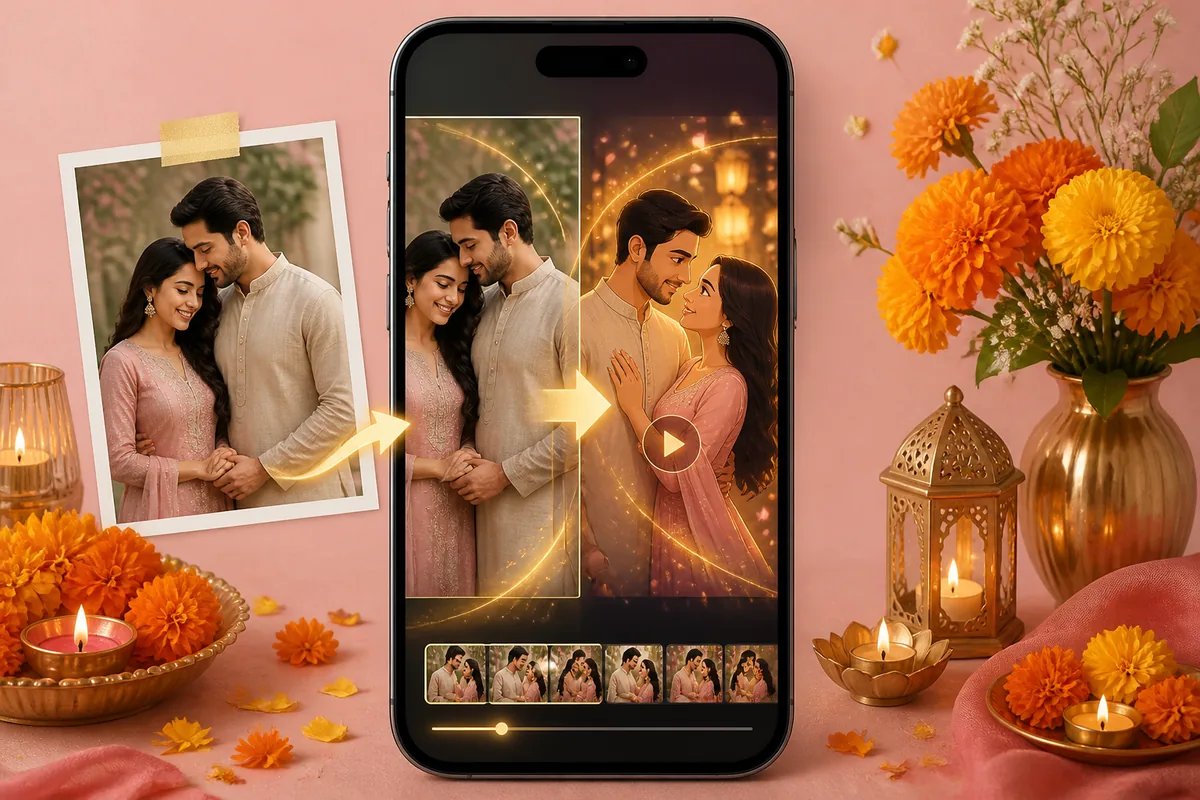
- Image to Video: Animate one strong photo with gentle camera moves, soft bokeh or romantic sparkles guided by a short prompt.
- First and Last Frame: Blend two photos (then and now, proposal to wedding, day to night) for a cinematic transition.
Exact Glymo steps: Image to Video
- Open Image to Video (animate a photo).
- Upload your hero couple photo.
- In the prompt, describe the style and motion you want (short and specific).
- Generate, preview the motion, then download from My Creations.
Exact Glymo steps: First and Last Frame
- Open First and Last Frame transition videos.
- Upload your first image (e.g., wedding day) and last image (e.g., today).
- Pick a style such as Cinematic, Slow Motion or Romantic. If a prompt box is shown, add a short line about the mood.
- Generate, preview the transition, then download from My Creations.
Ready-to-copy example prompts
Paste one of these into Image to Video (and into First and Last Frame if a prompt box appears):
- “Soft romantic camera push-in, warm sunset glow, gentle floating petals, cinematic look.”
- “Elegant anniversary motion, soft bokeh sparkles, slow pan left, warm golden lighting.”
- “Dreamy celebration vibe, subtle zoom with light leaks, pastel tones, tender mood.”
- “Cinematic transition, smooth dissolve, rose-gold highlights, heartfelt anniversary tone.”
- “Slow-motion romantic feel, delicate particles, cozy indoor light, intimate framing.”
- “Festive yet classy, marigold-inspired tones, gentle parallax, clean and modern.”
Optional: Add a heartfelt voice message with Face Talk
Want a cute intro or surprise message? Use Face Talk talking avatar to turn a front-facing portrait into a short talking clip with voice options. Keep it simple, like “Happy 5th, love—forever us,” or a message from parents to the couple. Place this clip before or after your main video when posting, or share it as a separate WhatsApp Status.
Wedding anniversary video ideas (made for India)
- Then & Now: School/college pic to the wedding portrait. Perfect for First and Last Frame.
- 7 Promises: One line per vow with matching moments—pheras, mangalsutra, first home, first trip.
- Festival love reel: Holi colours, Diwali lights, Eid celebrations—one quick memory per beat.
- Parents’ silver jubilee: Each sibling adds one photo + one message; compile into a short sequence.
- Micro-business thank-you: Salon or café anniversary sale—owner photo animated with a warm note of gratitude.
For more inspiration, see our guide: 25 Picture Anniversary Ideas for Indian Couples.
Music, pacing and length tips for Reels and Status
- Keep it short and emotionally tight.
- Use licensed or original audio. When posting, pick a track from Instagram’s music library or YouTube’s options. See Instagram’s help on adding music to Reels and YouTube’s guide to Shorts audio.
- Start strong with the best couple shot; end on a sweet line like “Forever, from 2019 to today.”
- Match photo changes to the beat—use a prominent downbeat for the transition in First and Last Frame. Glymo’s mobile flow makes it simple to create and post quickly.
Troubleshooting: blurry photos, mismatched lighting, awkward crops
- Blurry sources: Pick the sharpest original or re-scan old prints in good light. Avoid already-compressed screenshots.
- Harsh shadows: Choose a brighter shot or snap a quick window-lit selfie instead.
- Tight crops: Re-upload a version with more headroom so faces aren’t cut off during motion.
- Too busy? Try a cleaner background shot for a classy, cinematic finish.
Consent and safety (important)
- Only use photos of yourself or photos you have clear permission to use.
- Avoid making content of celebrities, politicians or anyone without their consent.
- Keep couple content wholesome and respectful—anniversaries are about love and celebration.
Save, share and celebrate
- Download your results from My Creations.
- Share to WhatsApp Status, post on Reels or Shorts, and drop it in family groups with a sweet caption.
- Keep the files safe so you can reuse the theme next year with new photos. Glymo uses coin-based pricing—open the Pricing page on the site to see what suits you.
Frequently asked questions
How to make wedding anniversary video with photos if I only have 2–3 good pics?
Use First and Last Frame for a smooth story from one photo to another, and animate your best single shot with Image to Video. That gives you two short clips from just a few images. Post them as separate Status updates or stitch them in sequence on Reels. It’s a simple, photo-first approach—no timeline editing needed.
Which Glymo tool should I use for a smooth transition between two anniversary photos?
Choose First and Last Frame transition videos. Upload your first image and last image, pick a style like Cinematic or Romantic, and generate. It creates a clean in-between motion that feels like a mini love story.
What music can I use for an anniversary video without copyright issues?
When you upload to Instagram or YouTube, choose music from their in-app libraries or use your own original audio. Using these libraries keeps things simple for personal sharing on Reels and Shorts. Always follow the platform’s music guidelines.
Can I add a short voice message to my wedding anniversary video?
Yes—create a quick greeting with Face Talk talking avatar. Record a sweet line like “Happy 10th—can’t wait for forever!” and share it as a separate Status or place it before/after your main video when posting.
What kind of photos work best for Image to Video on Glymo?
A sharp, well-lit couple photo with faces visible and one clear subject works best. Avoid heavy filters and cluttered backgrounds. Portraits from the wedding, haldi or reception often animate beautifully.
How do I make an anniversary video online without editing skills?
Use Glymo’s ready tools: pick a style in Explore Templates, animate a single photo with Image to Video (animate a photo), or blend two photos with First and Last Frame transition videos. Follow the short prompts, generate, and download—no editing timeline needed. Whether you’re on the web or the Android app, you can create a lovely anniversary video with just a few steps.
Ready to make something special today? Start with a romantic style in Explore Templates and turn your photos into a beautiful anniversary video.